


DigitalTax Portal release notes, April & May 2026


The efficiency edit: Reclaim your workday
The theme for our latest release is simple: efficiency. We’ve introduced several features designed to remove manual hurdles and streamline how you navigate your loan portfolio.
Efficiency is at the heart of our latest DigitalTax® Portal release. We’ve focused on removing manual friction and putting the most relevant data exactly where you need it. Here are the primary updates designed to give you back time:
From spreadsheets to dashboards
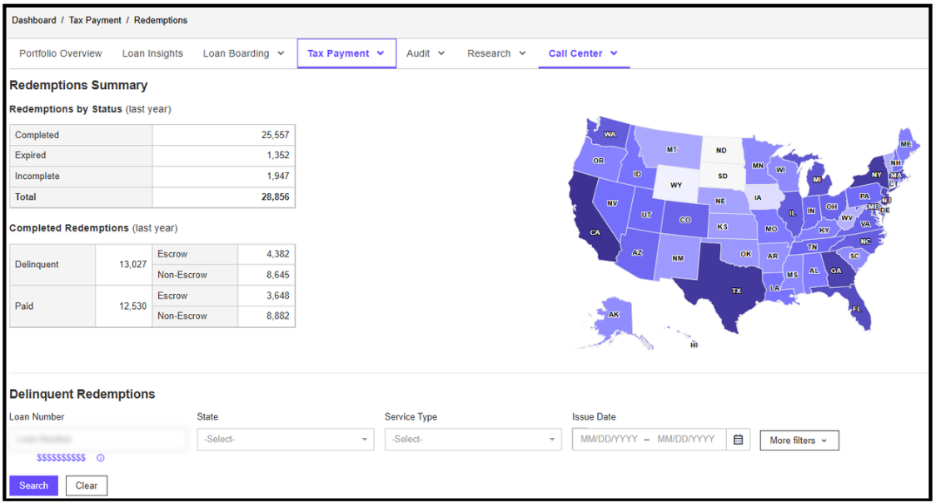
Managing redemption statements shouldn’t be a manual chore. We’ve replaced traditional spreadsheet processes with a powerful Redemption statement dashboard. This centralized view offers a faster, more secure way to manage statements, significantly reducing the risk of manual errors and providing real-time clarity across your portfolio.
Save your custom dashboard views for next time
By popular demand, you can now save your custom views in Loan Insights so you never have to rebuild the same report twice.
For example, if you regularly review liens for a specific investor or due dates for analysis, you can save those exact setups.
- Customize it: Build your dashboard with any filters and columns you need.
- Save the view: Your tailored report is ready to go the next time you log in.
Watch this 2-minute video to see how.
New outbound notifications dashboard
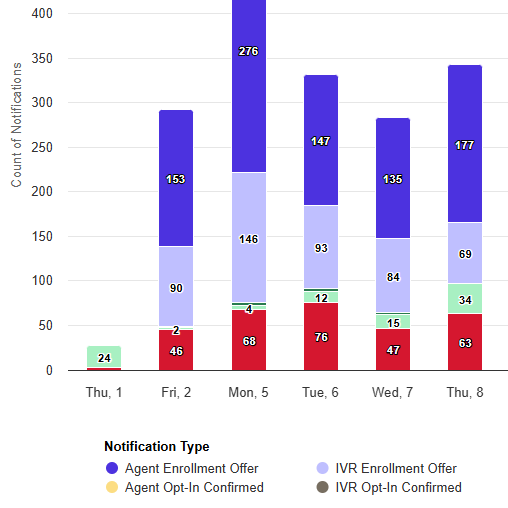
Outbound Notifications are SMS messages or automated calls which borrowers may opt-in to receive updates on their current bills received and remittances, to reduce repeat calls and ease call center volume.
This dashboard offers a centralized, exportable view of notification activity (including types) at monthly and daily levels without having to rely on external reports.
Precision filtering: Investor codes and keywords
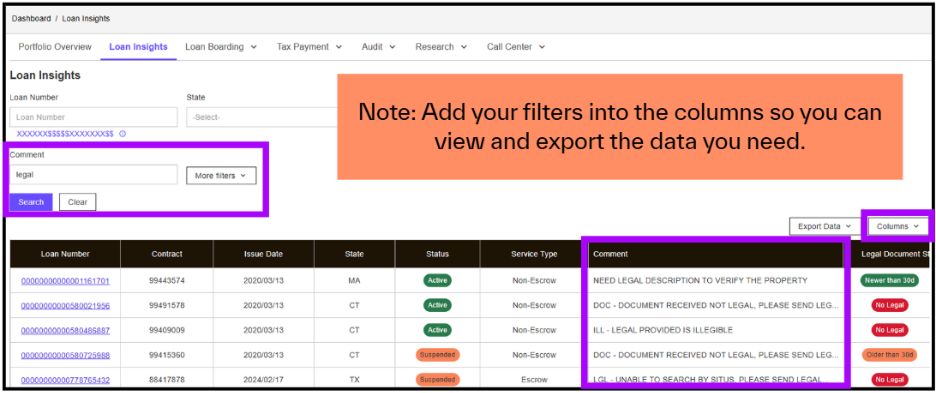
Data is only useful if you can find it. Within the Loan insights dashboard, you can now instantly pull specific portfolios using the Investor code field. This is a massive win for servicers who need to group loans by officer, branch, or lender. Furthermore, we’ve added the ability to search by any keyword within Comments, ensuring that critical context is always just a few keystrokes away.
Streamlined access: Integrated tools and quick actions
We’ve made it easier to manage your workflow without leaving your current screen. For clients with access, hyperlinks for Eagle1, SourceBridge, and ATSU have moved to the top right of the Loan Insights interface.
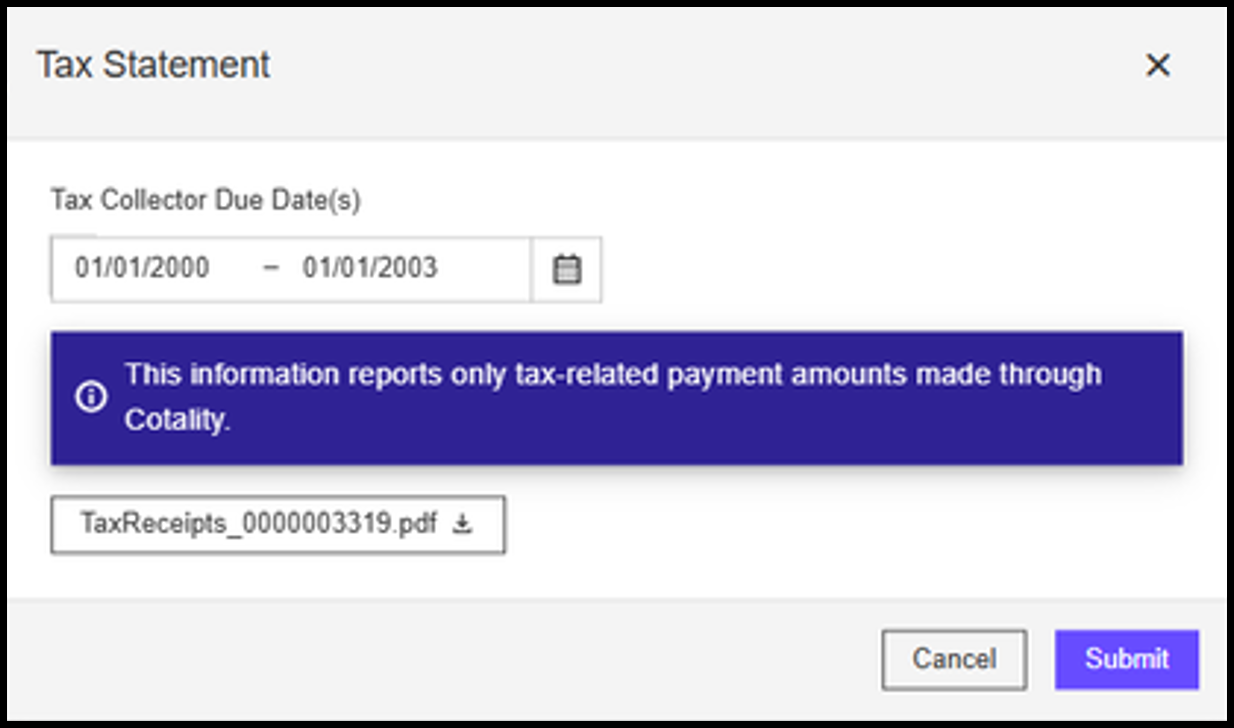
To further accelerate your tasks, we’ve added a “More Actions” dropdown menu, allowing you to quickly order redemptions or request tax statements.
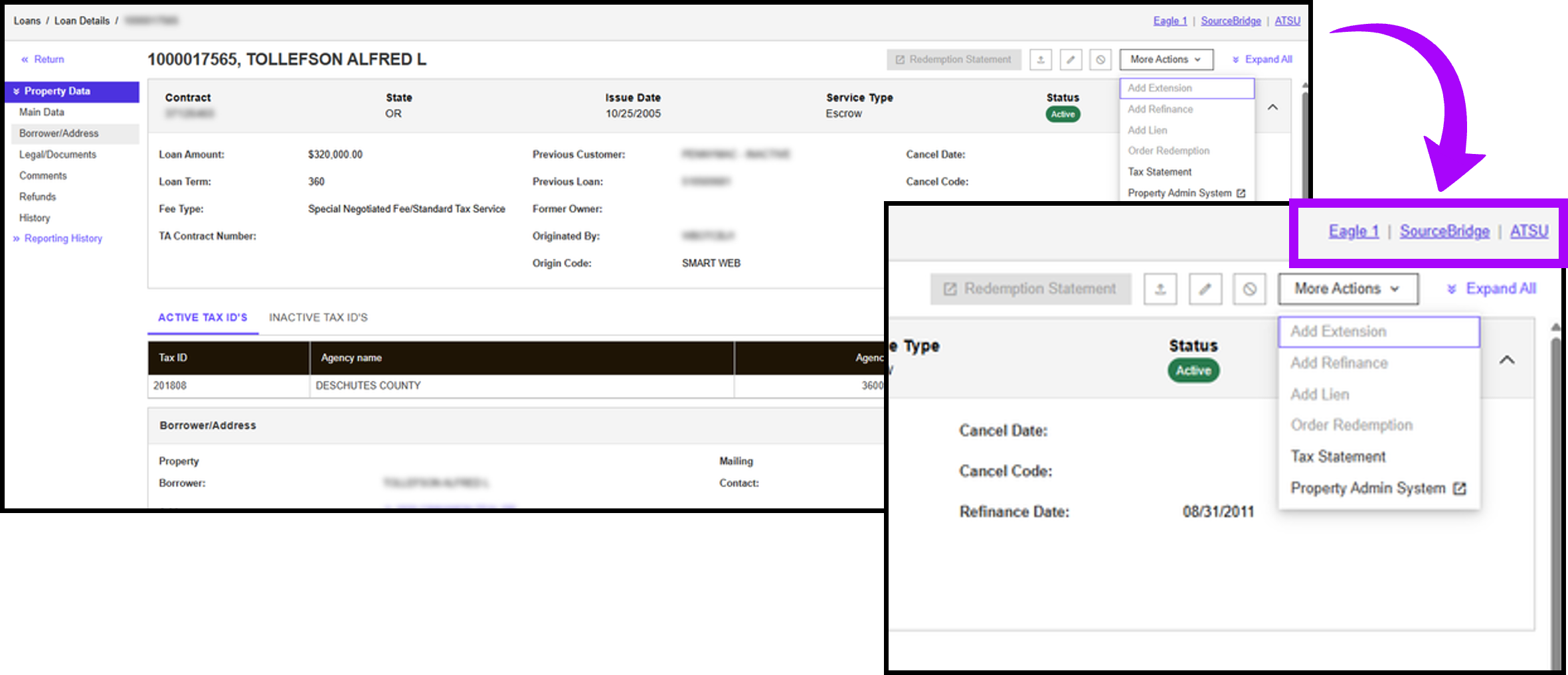
Additionally, you can now request and download tax statements directly from Property Insights, a significant time-saver during audit cycles.
Navigation built around you
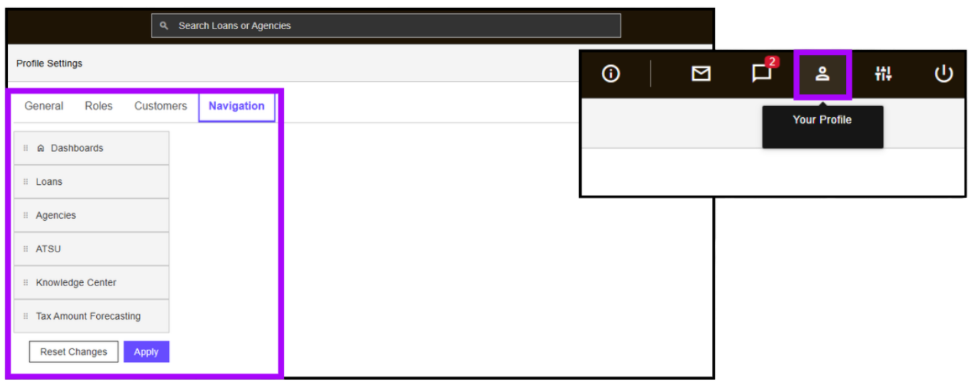
Your portal experience should reflect your unique workflow. You now have the power to customize your navigation menu. By heading to "Your Profile" and selecting "Navigation," you can simply drag and drop buttons to prioritize the tools you use most. It’s a small change that makes a daily impact on your productivity.
See it in action
To further explore how these efficiency gains can impact your team's daily workflow, reach out to your Client Account Manager.
