


Prospects CRM®
Keep real estate clients close and your pipeline full
The client management tool built for your day-to-day
Managing client relationships in real estate is a non-stop hustle, and keeping contacts organized across different systems shouldn't slow you down. Prospects CRM is the dedicated client management tool that bridges the gap between your database and your multiple listing service. Built specifically for active agents, Prospects CRM integrates seamlessly with Matrix™ and Matrix Mobile (formerly Prospects Mobile) to keep your listings, client favourites, and search activities automatically synchronized in real-time.
By automating your follow-up plans, listing alerts, and client communications, Prospects CRM helps you build deeper trust, stay top-of-mind, and generate more repeat and referral business—all from a single, organized workspace.

Ready to go database
Never manually copy contact details or search criteria again. Prospects CRM automatically synchronizes contacts, favourited listings, and saved searches with Matrix™ and Matrix Mobile. See what properties your clients favour and read their notes instantly.
Smart follow-up plans
Imagine a personalized follow-up system to nurture and respond to your contacts. Easy-to-use sales stages and keywords let you segment and target your contacts, so you deliver the right information to the right people at the right time.
Streamlined engagement tools
Nurture your sphere of influence. In just a few clicks, send valuable market reports and select listing announcements, automatically post your listings on Facebook, and more - all professionally branded with your photo, logo, and contact info.
Effortlessly nurture every relationship
Prospects CRM helps you deliver timely, relevant touchpoints across every sales stage - so you stay consistent, showcase your expertise, and remain top of mind throughout the client journey.

Share custom-tailored market insights
Send professional, custom-branded reports that establish you as the local market expert to keep all your prospects and past clients informed about the latest pricing and selling trends in their neighbourhood’s real estate market.
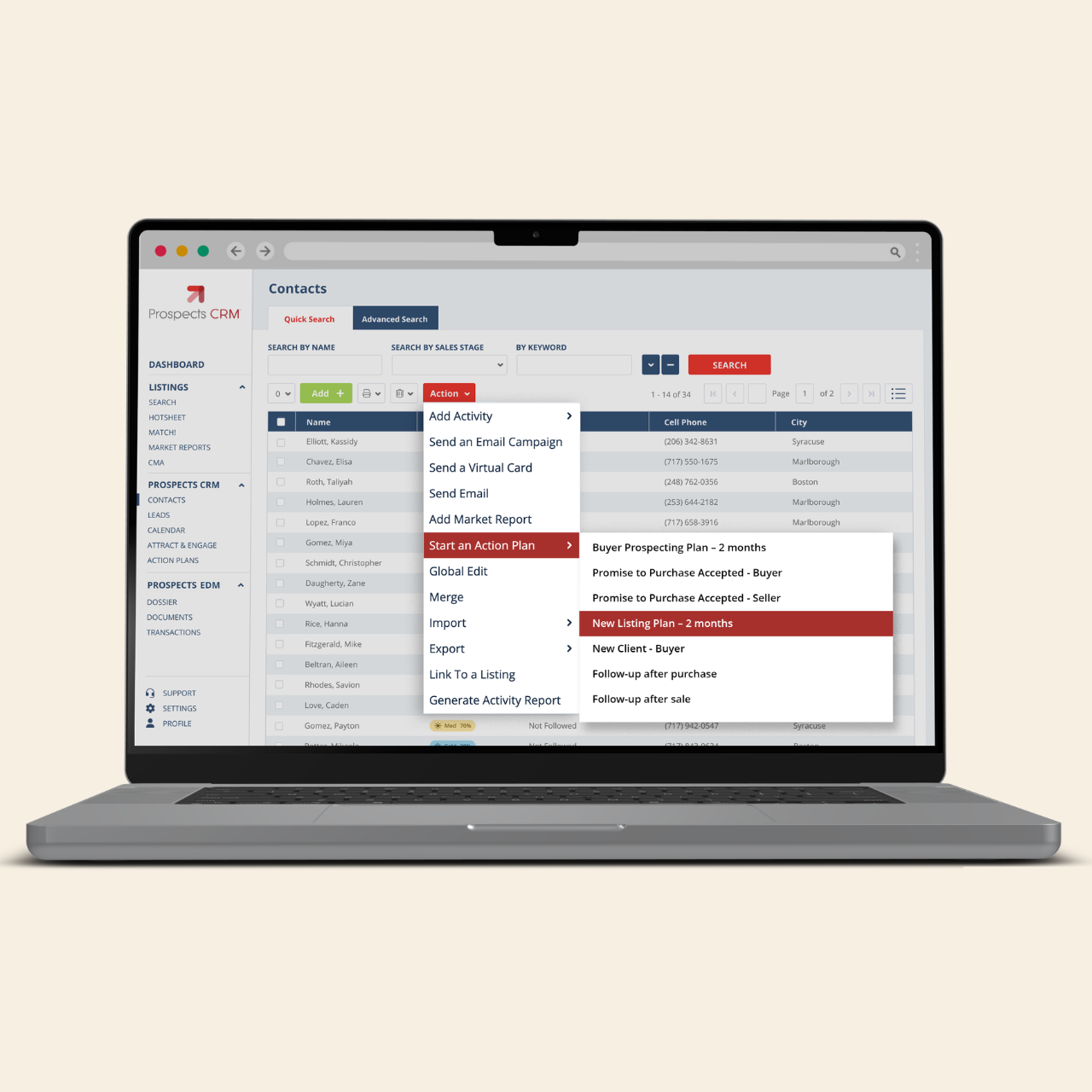
Action Plans: a tool to keep you on track
Create your own plan or take advantage of ready-to-use options tailored for every sales stage and follow-up type. Plans include sample emails and texts as well as suggested activities to keep you engaged with your contacts.

Access effective email templates
Don’t waste time. Save hours by taking advantage of Prospects CRM’s library of professionally written email templates. Simply use them as-is or customize them for an even greater impact.

Give your business the exposure it deserves
Automatically post your listings, open houses, just solds, and neighbourhood market reports to your Facebook business page or share them effortlessly with clients using ready-to-use Virtual Cards—keeping your brand top of mind.
Share custom-tailored market insights
Send professional, custom-branded reports that establish you as the local market expert to keep all your prospects and past clients informed about the latest pricing and selling trends in their neighbourhood’s real estate market.
Action Plans: a tool to keep you on track
Create your own plan or take advantage of ready-to-use options tailored for every sales stage and follow-up type. Plans include sample emails and texts as well as suggested activities to keep you engaged with your contacts.
Access effective email templates
Don’t waste time. Save hours by taking advantage of Prospects CRM’s library of professionally written email templates. Simply use them as-is or customize them for an even greater impact.
Give your business the exposure it deserves
Automatically post your listings, open houses, just solds, and neighbourhood market reports to your Facebook business page or share them effortlessly with clients using ready-to-use Virtual Cards—keeping your brand top of mind.


FAQ
How do I access Prospects CRM?
How do I get my contacts into Prospects CRM?
How does the MLS integration work with Matrix™?
What is the difference between Prospects CRM and MLS-Touch?
Are the email marketing campaigns and newsletters customizable?
Can I import my existing contacts into the CRM?
Related Resources


Related Insights (0)
How can we help you?
Let's get this conversation started! Our team is here to provide you with more information and answer any questions you may have.
Trying to reach us by phone?
Get in touch with our sales team at (866) 774-3282. We're here Monday to Friday from 7 a.m. to 5 p.m. CT.
Looking for support?
Visit our dedicated support page to find support for all our products.